


 8
8
Please note that held emails are held for 14 days before being deleted.
Please Click Mimecast à On Hold Messages to view them
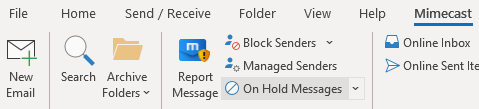
When you do this you have the following options
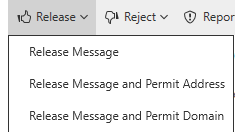
What do these mean?
Release Message
Releases this message to you.
Release message and Permit Address
Releases this message and all future emails from that specific email address
Release Message and Permit Domain
Release this message and any future email from this domain. Be careful with this. You do not want to release all emails from @gmail.com for example.
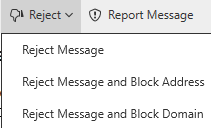
Reject Message
Remove this message from your held messages queue.
Reject Message and Block Address
Remove this message from your held messages queue and you wont be bothered by future emails from that specific email address
Reject Message and Block Domain
Remove this message from your held messages queue and you won’t be bothered by future emails from that email domain.
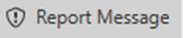
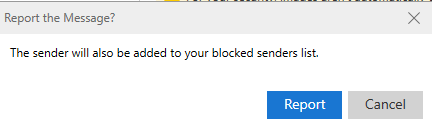
This will block the sender and notify IT that you believe there is something exceptionally risky about this email.
Please Release or Reject your held emails. The sooner the system knows your preferences the sooner your emails will be under control.


