


Guide | Tab Cabs, What are They, How To Use Them

Mar 23, 2026
 5
5
What are Tab Cabs?
- Tab Cabs are a Power and Network enabled storage solution for Rugged Tablets and FCR Laptops on Pedigree Sites.
- These are intended to provide a convenient storage location where devices can download and install the latest Windows and Data Collector updates overnight.
- This should improve device reliability, performance and limit possible disturbances to your work during the day.
What do you need to Do?
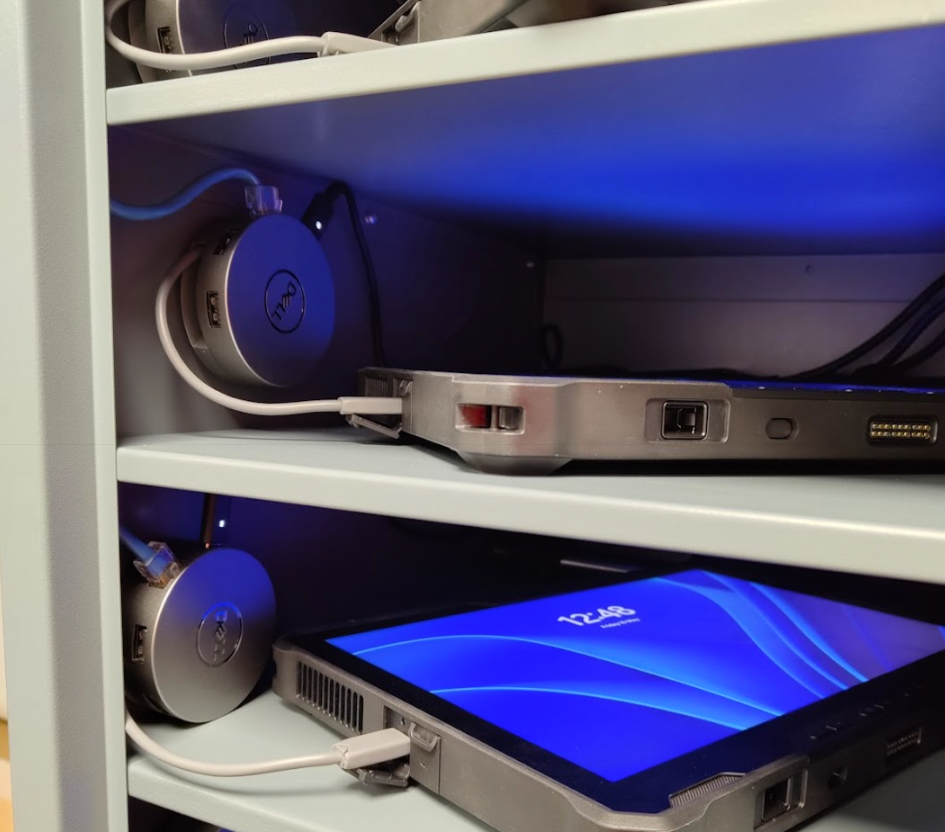
- Each shelf of your cabinet should have a single Dell Dock and USB C connector.
- Each Rugged Tablet and Laptop will feature a USB C port, either on the right or left side.
- Place the device on the shelf, plugging in the USB C connector
- This single connection will provide both power and networking without WIFI.
When do They Run?
- Every device which has been enrolled into a Tab Cab will run on the following update schedule
- Tue -> 23:30 - 03:50
- Fri -> 23:30 - 03:50
- Sat -> 23:30 - 03:50
- Sun -> 23:30 - 03:50
- Devices will power themselves on and off at these times. No interaction is needed by you.
- Any alterations to this, for example an emergency data collector fix/update, you will be notified by email in advance.
- Outwith this schedule devices will continue to charge as normal.
- Outwith use, devices should always be stored inside the cabinet.
When Else Might You Use Them?
- Cabinets will be useful for IT Support when a device is experiencing issues.
- Before calling IT, place the device on a shelf, plugged into a port, take a note of the Dock/Port number and Device Name.
- This will help ensure the device is connected and ready and that IT can trace where the device is quickly
- Remember you can always contact IT, either for a device issue, general questions or a hardware fault with the cabinet itself
- 7:45am -> 5pm UK GMT, Monday - Friday
- [email protected]
- +44 131 376 5555


