


Setup Multi-factor Authentication for Aviagen Microsoft account.
1: Start the registration wizard
Sign in to Microsoft by going to https://portal.office.com/ or https://login.microsoftonline.com/
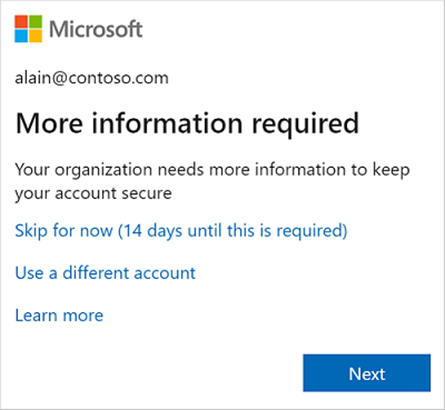
You will then be prompted to setup a secondary authentication method; this will require Microsoft Authenticator on a mobile device (PS. you can also use Google Authenticator if this is preferred.)
2: Install or open Microsoft Authenticator
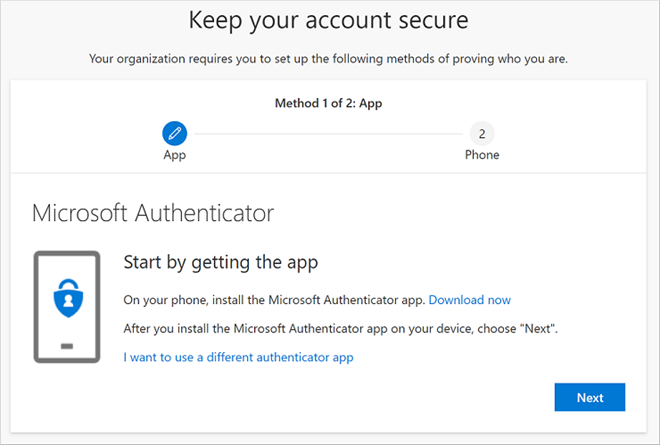
If you haven’t already installed Microsoft Authenticator on your mobile device from the AppStore/PlayStore, please do this now, then return to the computer, select Next and Connect the app to your work account.
3: Add your work or school account
You then need to scan the QR code from within the Microsoft Authenticator app, you may need to Allow notifications and camera access if prompted.
Select Add account (or the + icon), then choose Work or school account and Scan QR code.
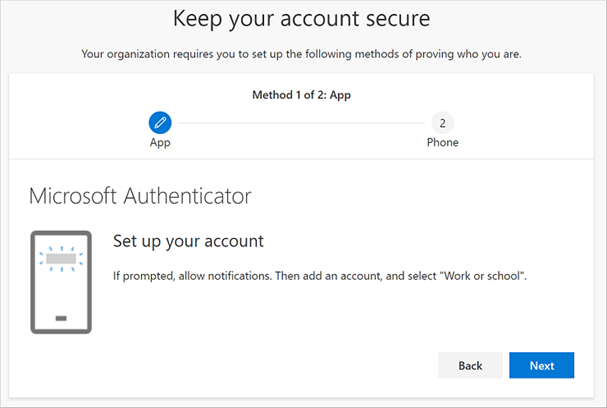
Leave this page open while you prepare the app on your phone.
4: Scan the QR code
Back on the computer, select Next to display your unique QR code. Use the scanner inside Microsoft Authenticator—not your phone’s ordinary camera app—to scan it. Then select Next.
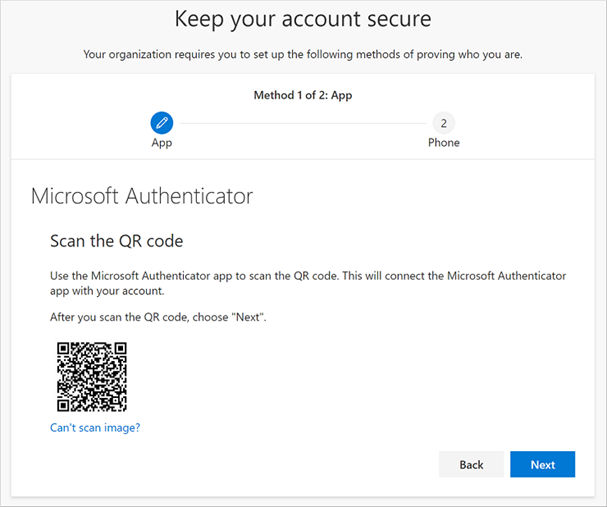
Example only: scan the QR code shown on your own screen.
5: Approve the test notification
Microsoft sends a test request to the app. Open the notification and follow the prompt. You may be asked to enter a number shown on the computer. Approve only when you started the sign-in.
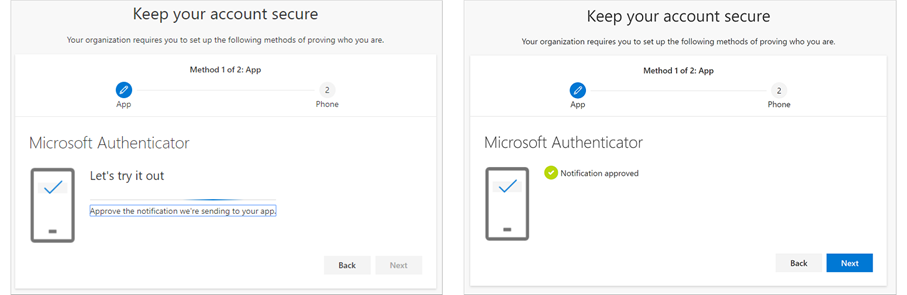
Approve the test request; a confirmation appears when the app is connected.
6: Add a backup method if offered
Your organization may ask for a second method, such as a phone number, security key, or passkey. Follow the on-screen instructions and select Done when setup is complete.
You have now setup MFA for your Microsoft Account!
You will now be prompted using this authenticator when access your Microsoft account, this will include applications that use SSO, for example DCRM, Zoom or ChatGPT.
If you have any questions, issues or concerns, please get in touch with the helpdesk:
[email protected] / +44 (0) 131 376 5555


